

Know where to begin.
Choose a situation, understand your role and get a few useful expressions before you start.
Now available for iPhone and iPad
English for the moments that matter. Prepare, speak with an AI tutor, and take one useful thing into your next conversation.
Start with 2 free 5-minute live sessions each month.
iPhone and iPad · iOS/iPadOS 18 or later

Scan with your iPhone or iPad camera to open the App Store.
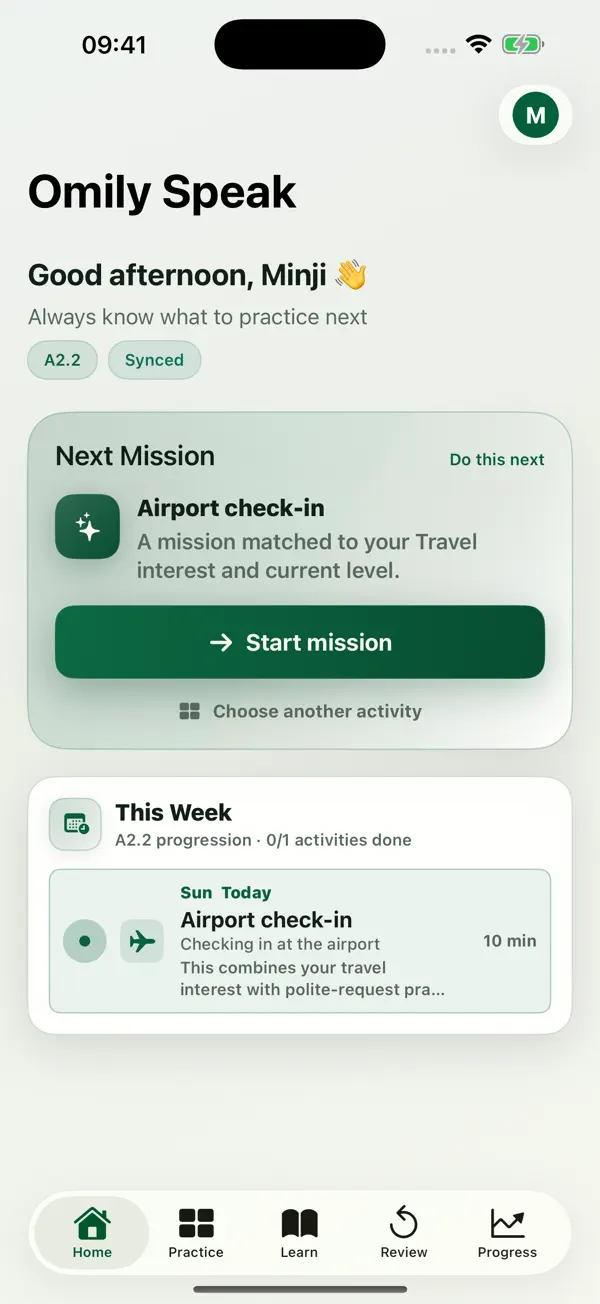
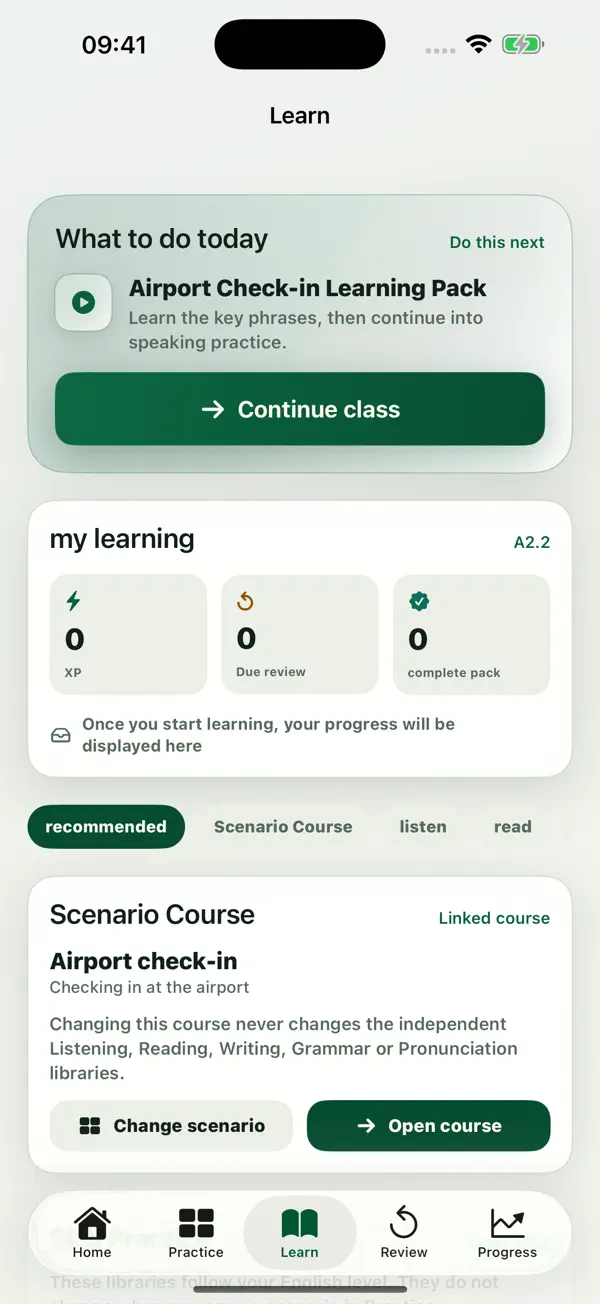
Small sessions. Meaningful practice.
The iPhone experience turns a small everyday mission into a conversation—and the conversation into something you can build on.
Choose a situation, understand your role and get a few useful expressions before you start.
Talk with an AI tutor. Pause to think, choose a comfortable pace, and ask for Help when you need it.
Look back at your conversation, understand suggestions, rehearse a phrase and find your next mission.
For life outside the lesson
From a simple request to a thoughtful discussion, practise for the situations you want to feel more comfortable in.
Try a doctor-appointment exampleBook an appointment. Explain a problem. Ask a follow-up.
Start with the useful things.Check in at a hotel. Find your way. Make a polite request.
A little confidence travels far.Share an update. Clarify a point. Explain your thinking.
Bring your ideas into the room.Explore a different view. Give a reason. Make your case.
Make space for what you really mean.A voice you feel at home with
Meet the four AI tutor voices. In the iPhone app, choose Automatic, Slower or Faster to find a comfortable speaking pace.

Warm, calm and encouraging
A little space to find your words.

Bright, energetic and supportive
Bring some energy to your practice.

Steady, clear and reassuring
Keep the conversation comfortable.

Cheerful, lively and curious
Make everyday exchanges feel natural.
Recorded voice samples. Tutor images represent AI characters, not human teachers.
A habit at your pace
Choose Free or Premium. See local pricing in the app before purchase.
2 sessions of 5 minutes
Each month. A little space to start speaking.
120 minutes
Each month. More time for the conversations ahead.
No purchase on this website. For subscription details, see our Terms of Service.
A few things to know
No. Omily Speak uses AI tutors, not human teachers. AI can make mistakes, so treat suggestions as practice guidance rather than professional advice.
The guided product tour lets you explore preparation, a sample doctor-appointment exchange and example feedback. It is a scripted illustration, not a live AI call or a personal assessment. No microphone is used.
Omily Speak is available on the App Store for iPhone and iPad. Android is coming to Google Play; you can request an availability email below.
In the iPhone app, lesson preparation gives you a clear task. Contextual Help can explain the question or suggest a starting phrase. You choose your own ideas and speak at your own pace.
Free includes 2 live 5-minute sessions per calendar month. Premium includes 120 minutes per monthly allowance period with monthly or annual billing. See local pricing in the app before purchase.
Use an iPhone or iPad with iOS/iPadOS 18 or later, an internet connection and an account. Speaking practice needs microphone permission.
Premium has a daily limit of 30 minutes and 4 session starts. Unused minutes do not roll over, and there are no automatic overage charges. Annual billing provides the same monthly allowance, not a year of minutes upfront.
Subscriptions renew automatically unless cancelled in your Apple subscription settings. Restore purchases in the app using the same Apple account. See Support for help.
Now available for iPhone and iPad
Start with 2 free 5-minute live sessions each month.
Download for iPhone and iPadiPhone and iPad · iOS/iPadOS 18 or later